Most software gets to define its own inputs. You publish an API, you validate what comes in, and anything that doesn’t match the contract gets rejected with a 400 and a clear conscience. Email doesn’t work that way. Email is federated: anyone can stand up a mail server, and once they do, they can talk to yours. There’s no gatekeeper, no certification, no version everyone agreed to move to. DNS works the same way, for the same historical reasons.
So the software on the other end could be anything. Postfix, Exchange, something commercial, something homegrown, something nobody has recompiled since the person who wrote it left. The protocol has been extended and re-extended for four decades, with pieces like TLS layered onto an SMTP that never anticipated them. What shows up at your edge is the accumulated output of every implementation anyone has ever written, including the ones written badly and abandoned in 2004.
SMTP, MIME, S/MIME, and the RFCs stacked on top of the originals all have written specifications. The name says a lot about how binding they are, though: RFC stands for Request for Comments. The mechanism the industry uses to agree on how the internet works is, by name and by design, an ongoing conversation rather than a rulebook, and compliance with it was always voluntary.
When one of those servers sends a message our product mishandles, “they’re not following the RFC” is a true statement and a useless one. The customer’s experience is that their email didn’t arrive, and nobody buys email security to get correct protocol behavior out of it. They buy it so their people can use email safely and receive the mail they actually want. The bug is ours whether or not we caused it.
So the input space isn’t something we get to define. It’s something we discover, one weird interaction at a time.
Some of the malformed mail is malformed on purpose
That would be a hard enough problem if everyone sending us mail were trying to get it right. They aren’t, and email is unusually exposed to the ones who aren’t. Most business software is reached through a browser, where the connection starts on the inside: a user decides to go somewhere. The FTP servers that once sat open have been replaced by Dropbox and OneDrive, a move from a protocol anyone can speak to an app with a front door and a lock on it. Email never made that move. A mail server sits publicly exposed, waiting for a stranger to connect and hand it data that goes straight into the organization.
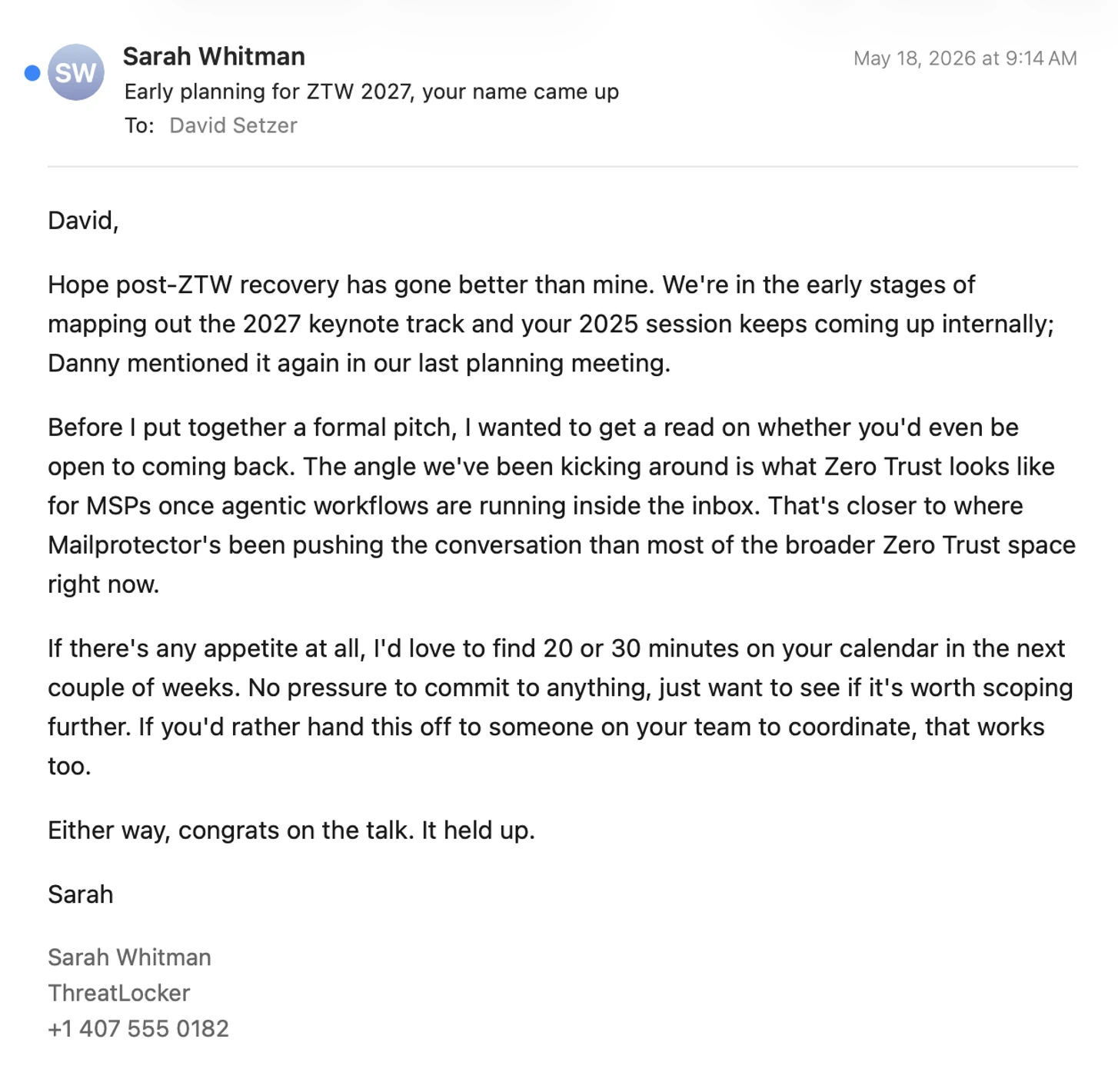
Attackers work the same ambiguity the well-meaning broken servers stumble into, except deliberately. Where the specs leave room for interpretation, or where two RFCs disagree at the seams, that’s where an attack gets built. A message that one parser reads one way and another reads differently is a bug when a legacy server produces it by accident and an exploit when someone constructs it on purpose. Header structures that render one thing to a filter and another to a mail client, encodings nested until something gives up, addresses that pass authentication while displaying as someone else entirely.
So two populations generate our test cases, and they push in opposite directions. Good actors break the protocol by accident, and the response is usually to be more permissive, because their mail is legitimate and the customer wants it. Bad actors break it on purpose, and the response there is to be less permissive. Every accommodation we build for a badly behaved sender has to be checked for whether it also hands an attacker a way in, and every restriction we add has to be checked against the real mail it might start rejecting. Nobody on the hostile side has to stop, either: an attacker who fails can try again immediately, forever, at no cost. Blocking harder isn’t a clean answer, since that’s how legitimate mail starts disappearing.
The test cases you can’t write yet
Building Shield is what made this concrete. Replacing the mail server layer underneath our products had been the kind of idea you joke about rather than schedule, but when we scoped Shield we had to go that low anyway, down to our own software handling the SMTP conversation, because what we wanted to do couldn’t be done from above it.
Which meant meeting the internet directly. There are a lot of places in Shield now where we’ve had to accommodate a server that behaves incorrectly or a message missing structure it’s supposed to have, and we knew almost none of them the day it shipped. Every one started the same way: mail from a real sender did something we hadn’t seen before, usually something that makes no sense as a deliberate choice, and the reaction in the room was some version of “people send it like that?” There’s no registry of misbehaving mail servers to build against. We inherited a few decades of other people’s technical debt and now support it.
So we know what we know today, and we’re going to learn something new tomorrow. Traditional QA planning assumes you can enumerate the situations your software will face and write cases for them. In email that enumeration is somewhere between enormous and unbounded, and if we tried to define the whole space before shipping, we’d never ship.
The response isn’t to test less. It’s to stop treating tests as a specification written in advance and start treating them as a record of what we’ve learned.
Automated tests are institutional memory
When we find a server doing something strange, or a message whose structure breaks an assumption, that case becomes an automated test. The odd envelope, the malformed MIME part, the header construction clearly assembled to confuse a parser. That’s the durable output of the incident, and it matters most on the security side, where a regression doesn’t just fail to deliver someone’s mail, it reopens something we already closed.
Bracket, our encryption product, is where we got in the habit. A message structured strangely enough would break encryption in some specific way, and rather than just patching it, we’d strip the sensitive content out and keep the structure as a test case. Twenty-five years of email products accumulates a real collection of things that technically shouldn’t happen, and the value of writing them down is that we never rediscover them. If a refactor breaks something we patched years ago, we find out in CI instead of in a support ticket.
That’s where the process starts: continuous integration, before a human looks at anything. Tests run on every change and have to pass before it can be merged and deployed. It’s the cheapest place to catch a regression and the only layer that scales. Manually re-verifying the thousands of cases we’ve accumulated on every change isn’t work anyone would ever actually do. Automated, it’s seconds.
Two caveats. A test is only as good as the thinking behind it, and a badly written one is worse than none, because it reports success and sells you false confidence, so tests need their own review. And this is one place AI has straightforwardly helped: models are good at reading code and working out what it’s supposed to do, which makes them good at writing tests for it. Our coverage has grown more in the last couple of years than in a long time before that. All of this is also part of our SOC 2 audit, which means we have to describe it precisely and demonstrate it’s real rather than aspirational.
Staging has to talk to the real world
Those are unit tests, narrow checks on specific pieces of functionality. What they can’t capture is that SMTP is a conversation. Two servers go back and forth through multiple steps, each able to influence what happens next, and the timing of that exchange is part of the behavior. Delivering a message isn’t one function call you can assert against. It’s a negotiation with a party you don’t control, and a change that looks correct in isolation can behave differently inside that exchange.
So there’s a second layer: a staging environment for each core product, built as a duplicate of production rather than a sandbox. For most software staging can talk only to itself, because the software doesn’t need the outside world to behave realistically. Email does. Ours runs a live domain on a live Microsoft 365 tenant with real mailboxes, real API interactions with Shield, and real mail moving inbound and outbound with the actual internet. Every strange sender out there can reach it, same as production, which gives us behavior we’d otherwise only see after shipping with the blast radius of a single domain.
Any significant change runs there first. Someone deploys the branch, sends mail through it, and looks at what comes out the other side. Everyone on the product team has a staging mailbox and uses it several times a day. One line of code can ripple into behavior three subsystems away in something as interconnected as Shield’s mail flow, and staging is where that shows up.
The gap is volume. Staging is structurally identical to production and nothing like it in exposure: production carries mail for a large number of domains, and staging carries one. Closing that honestly would mean running a second copy of our production infrastructure, roughly doubling what it costs to deliver the product, in order to test the product. So load-dependent behavior won’t appear there no matter how carefully we look. We know where that gap is.
Code review, and a new participant in it
A change that passes its tests and behaves in staging still isn’t done. Every change is reviewed by at least one senior engineer who didn’t write it, more than one when it’s large or risky, and someone has to actively approve it.
Most of what that review is for isn’t bug-hunting; tests and staging are the tools for that. Review asks how the change was built: is this structured so it won’t cause problems later, is this the right place for this logic, will it hold up under load. I’ve told our team for years to write code for the version of yourself that comes back in two years with no memory of why you did it this way. The difference between a codebase that reads like an organized book and one that reads like a drawer of sticky notes compounds with every future change. A reviewer with deep familiarity catches real problems too, usually as pattern recognition rather than analysis: this part feels fragile, we tried something like this before and it went badly.
What review has never had is unlimited time. Walking every path a change touches, three and four hops out, is a day of work competing with everything else on that person’s plate, so it gets scoped: read the risky parts closely, sanity-check the rest, ship it. Every engineering team makes that tradeoff, and in a system this interconnected nobody is holding the full effect of a single-line change in their head.
Over the last few months we’ve added frontier AI models to that step for critical changes, because mapping the web of logical paths through a complex system is what they’re good at. A recent change is a good illustration. It had been through days of testing and looked clean, and we ran it through AI review anyway, mostly to answer “what are we missing?” It shipped fine. Afterward we noticed something adjacent behaving oddly and asked the same model, still holding the context of the change, whether we’d broken it. We hadn’t. What it found instead was a real bug that had been sitting there for a while, unrelated to our change and never reported by anyone. We fixed it.
That happens often enough to be a pattern now: making one change hardens the code around it. The reviewer still decides what matters and whether the design is right, and the model does the exhaustive tracing underneath that judgment. It hasn’t replaced human review. It removed the time constraint that forced human review to be selective.
Somebody who didn’t write it has to use it
Then someone who didn’t write the code sits down and uses the product. Whoever built a feature exercises it the way they imagined it being used, which isn’t laziness, just what happens after two weeks holding the intended flow in your head. Real users click things in an order nobody planned, twice, faster than the interface expects, or walk away mid-flow and come back an hour later.
People from across the product team do this, including developers on each other’s work. What we don’t have is a QA title, and that’s deliberate. We have a comprehensive QA process. What we don’t have is a role responsible for the quality of someone else’s code.
Responsibility sits with the person making the change, starting before any code exists, while the feature is still being planned. In a lot of organizations engineers produce code and making sure it works is somebody else’s job. Not here. If you introduce a bug, you investigate it and you almost certainly fix it, on a timeline that matches how much it hurts.
That sounds harsher than it plays. Nobody on this team has avoided being awake at three in the morning for something, frequently something they didn’t break. When someone drops the ball the person next to them picks it up, and we don’t spend time on whose fault it was, because everyone here has felt what a bug costs as it travels from us through our partners to the person who just wanted their email.
Support knows things engineering doesn’t
For larger releases we bring in support. They talk to customers about these products all day, so they know how they actually get used, which isn’t always how they were designed to be used, and they know which behaviors generate confusion, because they field it. They have staging accounts for this reason. Some use that access to work through documentation; at least one treats it as an invitation to break the thing on purpose, which is exactly the value: someone with years of experience watching this product fail, deliberately trying to make it fail again before a customer does it by accident.
For some releases we go further and run a beta. Not every change deserves one, but when a feature benefits from exposure to a wide range of real usage, a beta group is the next step outward. We can’t generate the feedback loop a company with millions of beta users gets, and we don’t need to. The surface area is smaller, and we can move fast when something turns up.
Shipping isn’t the last step
The stage people forget is the one after deployment. Email is critical infrastructure, and the uptime expectation attached to it is unlike most software: a communication tool people treat as instantaneous, built on a protocol that never promised to be. Nobody accepts a maintenance window on their mail.
So the last layer of QA is watching. We instrument heavily and keep eyes on the metrics that describe the heartbeat of the system, which is how problems get caught while they’re still trending the wrong way rather than after they’ve become an outage. That’s the more common outcome, and it’s invisible, because you never hear about the thing that didn’t happen.
The goal isn’t zero bugs
All software has bugs, and AI has gotten good at finding them, including in the decades-old software the internet itself runs on. When someone tells you their software has no bugs, what that actually means is that nobody has found them yet. Chasing that standard is a good way to spend years shipping nothing.
Not everything that arrives as a bug is one, either. A growing share of what we fix is an accommodation for something in the wild that doesn’t follow the protocol, where the outcome for the customer is bad and the cause is three systems away from anything we control. We fix it anyway. That’s the job.
What all these layers buy, over enough time, is software that feels solid to the person using it, which is the only definition of quality that reaches a customer. Shield today is a much quieter product than Shield at launch, and none of that came from a single fix.
So when someone asks who our QA team is, the answer is that there isn’t one, and there’s QA at every point in the process: while we’re deciding what to build, while we’re building it, before it ships, and after. It’s a habit rather than a stage, and it has to be, because we’re a small company holding up a piece of critical infrastructure and the standard for that isn’t set by our size. What it takes is every person who touches the product treating quality as part of their own job. You can’t get that by hiring someone to be responsible for it on everyone else’s behalf.
]]>